How we built the microservice.md MCP server
· MCP · Architecture · Coding agents · Rust
By Alain Cyr, Founder, Koesion
The problem
A coding agent only sees the repo it is working in. It doesn't know the contract the service promised, what the other services publish, or who breaks if it renames OrderPlaced.
That last question matters most. "Who consumes this event?" is a question about the whole system, and no file in one repo can answer it. A catalog can. So we built an MCP server that puts the microservice.md catalog in front of the agent.
It went from design document to production in a few days: design on October 18, launched on Fly.io on the 19th, live on the 22nd.
What it does
Version 1 is about one moment: before the code changes. Six read-only tools:
list_services: the services in your catalog;get_service_md: a service's MICROSERVICE.md;list_artifactsandget_artifact: its contracts and docs, and those of the services it calls;find_event_consumers: who publishes and who consumes an event;find_dependents: who depends on a service, and through which endpoints or events.
Plus two prompts: start_from_service plans an implementation from the catalog, and impact_check tells you who is affected by a change before you make it.
You don't name tools. You ask "what depends on payment-service?" and the agent picks the right one.
The cloud setup
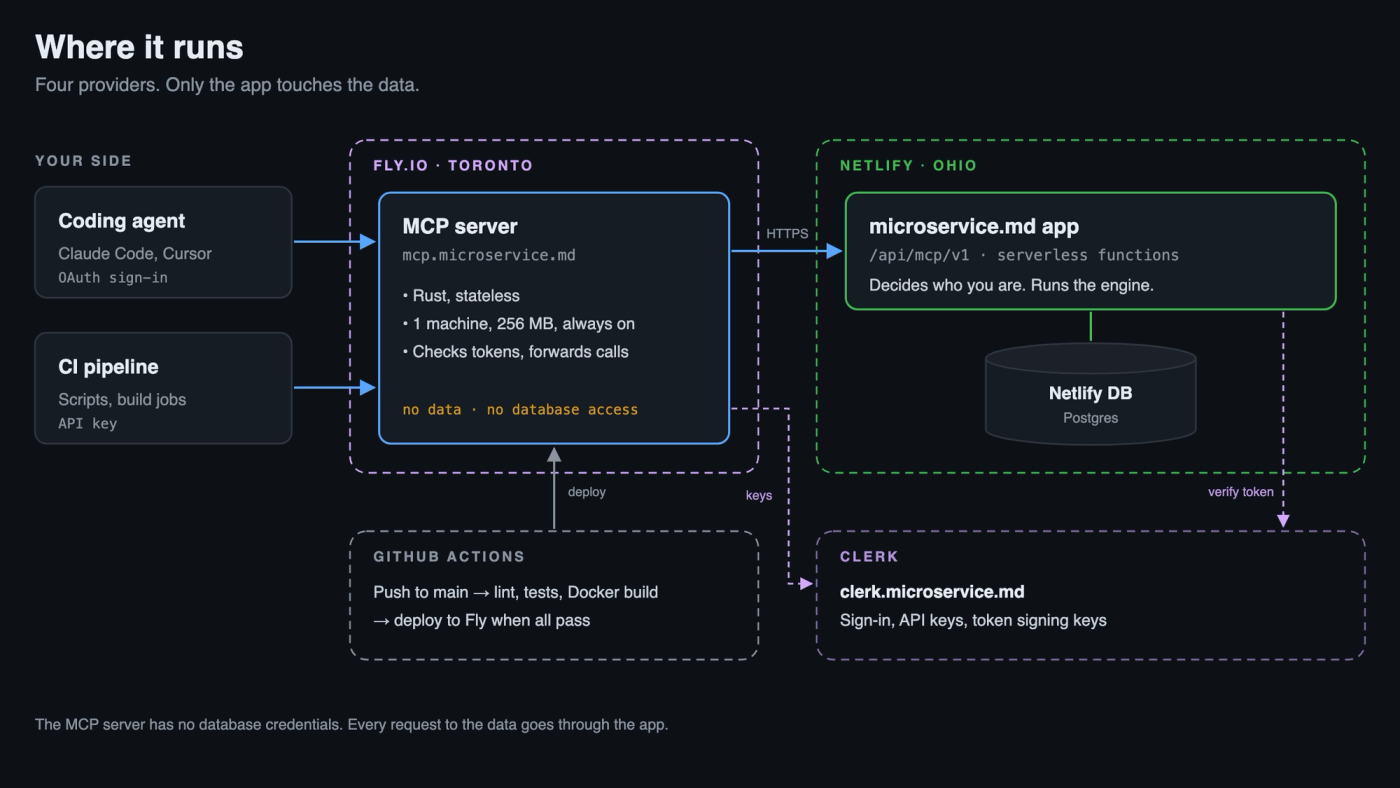
- Fly.io runs the MCP server at
mcp.microservice.md: a small Rust program on one machine in Toronto. - Netlify runs the microservice.md app and its database, in Ohio. The MCP API lives there, under
/api/mcp/v1/. - Clerk handles sign-in for both, at
clerk.microservice.md. - GitHub Actions tests every push and deploys the MCP server to Fly when the tests pass.
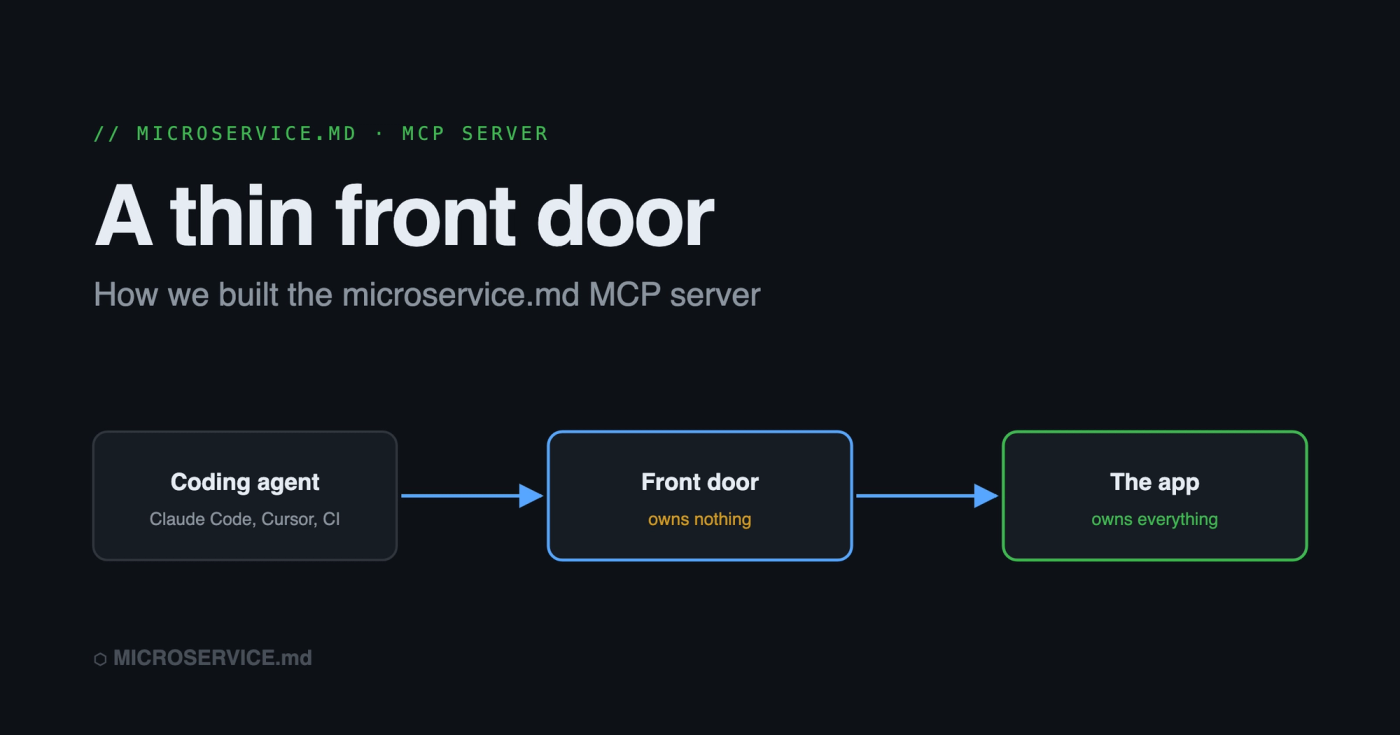
A thin front door
The MCP server turns each tool call into exactly one HTTPS call to the app. That's all it does.
We set three rules before writing any code:
- No business logic in the MCP server. Generators, scoring and topology live in the app, once. Two copies would drift.
- No database access. The MCP server has no connection string. Take over that machine and you get a proxy, not a database.
- The app decides who you are. The MCP server checks tokens, but the app checks again and has the final word.
A front door that owns nothing is easy to replace, easy to scale, and boring to secure. Boring is the goal.
Signing in
Every call needs an account.
Coding agents use OAuth. The agent calls without a token, gets a 401 that points to our Clerk sign-in, registers itself, and opens the browser. You sign in with your existing account. In Claude Code it's one command:
claude mcp add --transport http microservice-md https://mcp.microservice.md/mcpCI uses API keys. A pipeline can't open a browser, so you create a key in Settings and store it as a secret. Revoke it and the next call gets a 401.
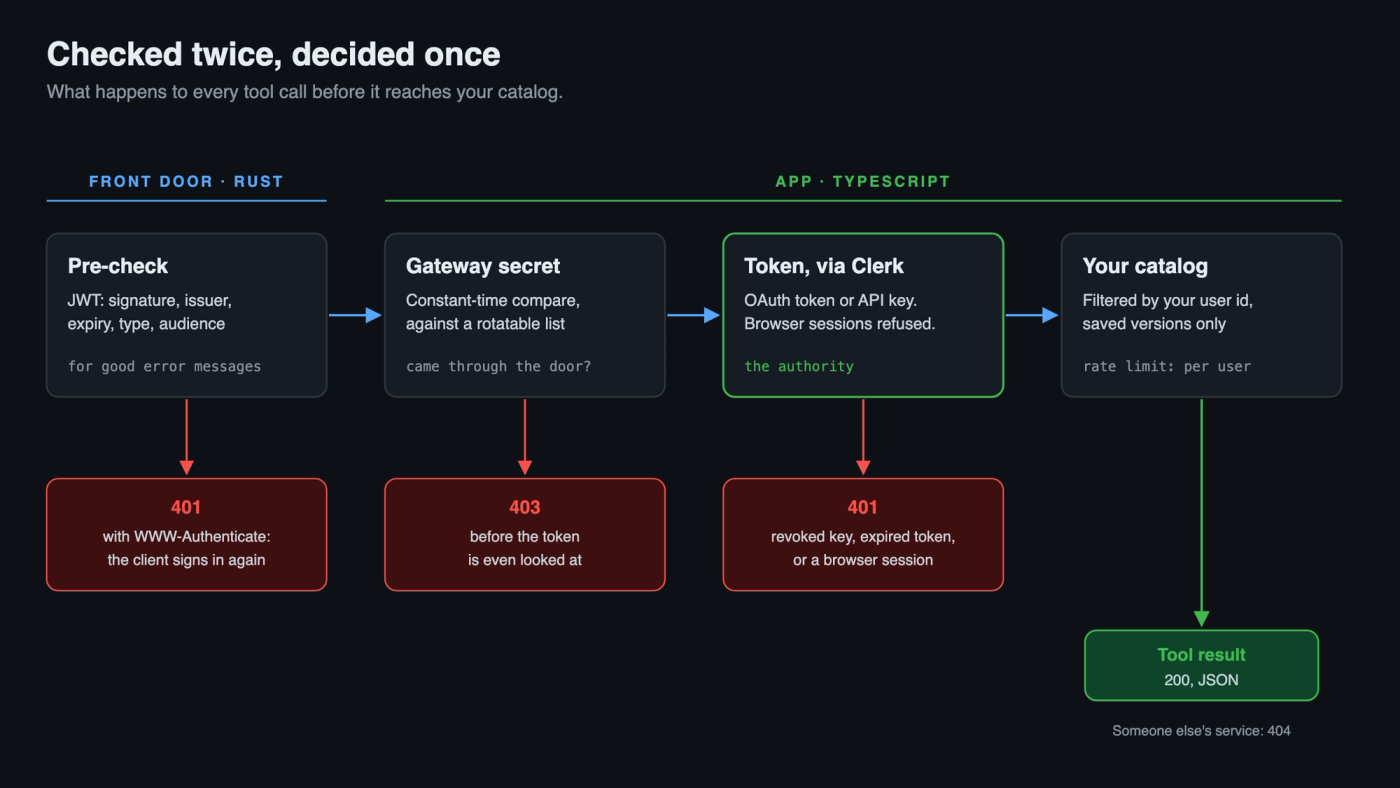
The first check gives good error messages. The second one is the security.
Each call is checked twice. The Rust server verifies the token first, so a bad token gets a clean 401 and the agent signs in again. Then the app verifies it with Clerk and decides. Browser sessions are refused, so the website and the MCP server never mix.
Between the two, a shared secret proves the call came through the front door. The app accepts a list of secrets, so we can rotate it without downtime.
One gap we accepted: some OAuth tokens carry no audience, so nothing proves they were issued for this server. That's fine while our Clerk instance serves only microservice.md. If that changes, we add a client allowlist.
Saved versions only
In the web app, every service has a draft you're editing, and saved versions. The MCP server only serves saved versions.
An agent coding against a half-edited contract is worse than one using last week's. So each answer says which version it came from. If you have unsaved edits, the agent tells you they're not included.
To link a repo to its service, MICROSERVICE.md has a **Catalog ID:** line. The agent reads it and knows which service it's working on. No line? It lists your services and asks.
Stateless on purpose
MCP can keep a session per client. We don't. Every request stands alone, so Fly can restart or add machines without anyone losing anything. It also means a script can call a tool with a single curl, no handshake.
Running it
- One small machine. Shared CPU, 256 MB, always on, so nobody waits for a cold start.
- Two health checks.
/healthsays the server is up (ok on the MCP Server side)./health/readyalso calls the app, so it fails exactly when users would notice (being monitored @ https://status.microservice.md/) - Careful logs. One line per tool call. Never a token, a secret or file contents.
- Limits per user, not per IP. All traffic arrives from Fly's addresses, so per-IP limits would block everyone at once. Each user gets 600 calls an hour.
- In the MCP Registry as
md.microservice/catalog.
What's next
Version 1 reads. Next, it writes: saving a MICROSERVICE.md back from the repo, and creating services from an agent session. Writes need more care than reads, so they get their own design first.
The foundation stays the same: a front door that owns nothing, an app that owns everything, and a catalog your coding agent can finally see.
Want to try it? Connect your coding agent. It takes a minute.